Tags in Notius allow you to organize, filter, and retrieve notes more effectively. They act as flexible metadata labels that can be attached to any note and later used for filtering.
How to Use Tags
- Tags are added directly at the bottom of a note using the #tagname syntax.
- Start typing # and you will see autocomplete suggestions from existing tags.
- You can assign multiple tags to one note.
- Tags support free-form naming — choose anything that makes sense contextually (e.g. #finance, #draft, #urgent, #SQL, #2024).
Tag colors
Tag can have specific color. It can be assigned by using colon and color name at the end of the tag name. E.g. when user specifies #document:red, it is displayed as shown in following picture.
 Colored tag
Alternatively, user can assign color to existing tag using palette. After click on the tag name, following menu is shown:
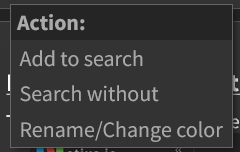 Tag Action menu
After click to Rename/Change color palette is shown, where user can specify tag color.
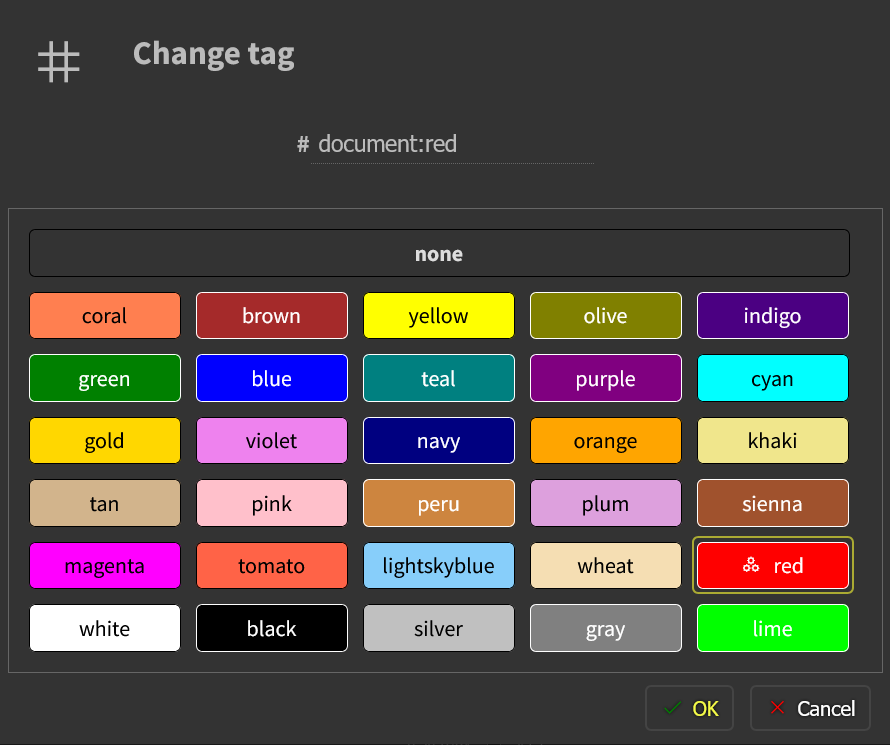 Tag color palette