Notius allows to share individual notes with others via web links. Whether you're collaborating with colleagues or providing someone access to view-only content. Using More actions menu (or by pressing q as shortcut) you can open Share note dialog.
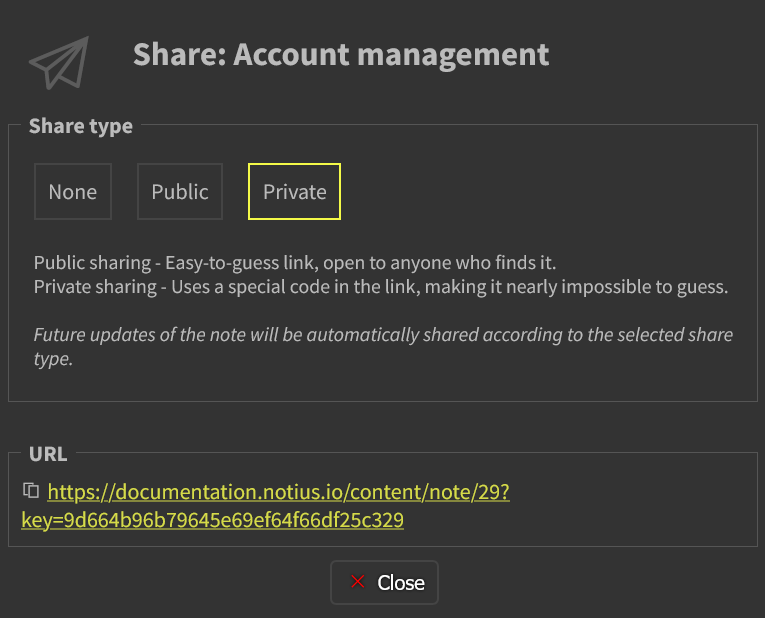 Share note dialog
The dialog gives you more possibilities to share note:
None
Default state. The note is private and not accessible via any URL.
Public
Generates an easy-to-guess URL where anyone with the link can view the note.
Ideal for documentation, help pages, or content intended for a broad audience.
Private
Generates a secure, hard-to-guess URL with a unique access key.
Safer for limited sharing, e.g., internal communication, client previews, or draft reviews.
note: Even the link is public technically, the complexity of the key makes it very difficult to guess.
Automatic updates
Future updates of the note will be automatically shared according to the selected share type which means:
- If the note is updated later, the shared link will always reflect the latest version.
- No need to re-share the link after edits.